
CTF / NETWORK FORENSICS
The Exfiltrator.
Following a trail of leaked data through a packet capture.
By albin zlatan zuzic · English translation of my original Swedish write-up
This is my solution attempt for the CTF “Exfiltratören” — “The Exfiltrator.” The challenge described an employee leaking sensitive data. Of the seven flags mentioned in the challenge, I recovered three.
1. Starting with FTP
When I opened the .pcap file, the FTP server login immediately caught my attention. I also noticed a request for CWD dropbox, indicating that the user had accessed a directory named dropbox. There was a request for a file named msg.txt, too. Given the challenge description, this looked relevant.
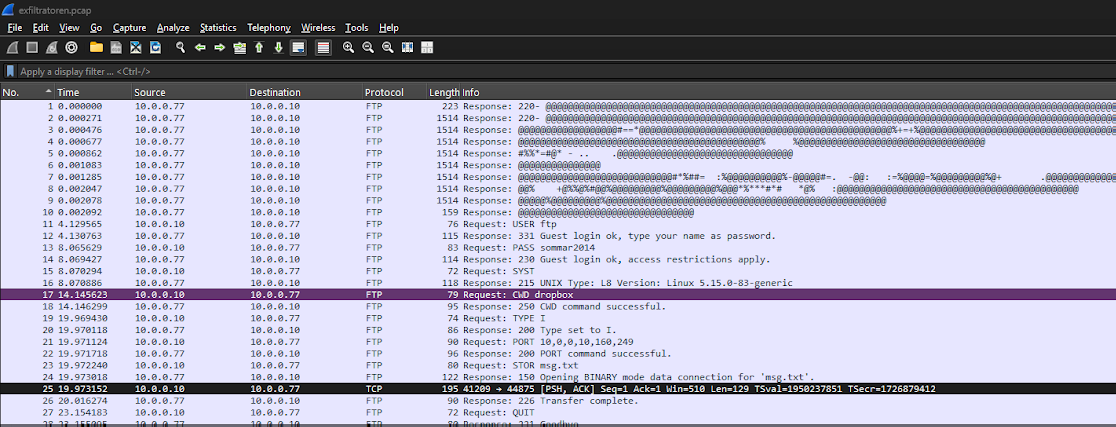
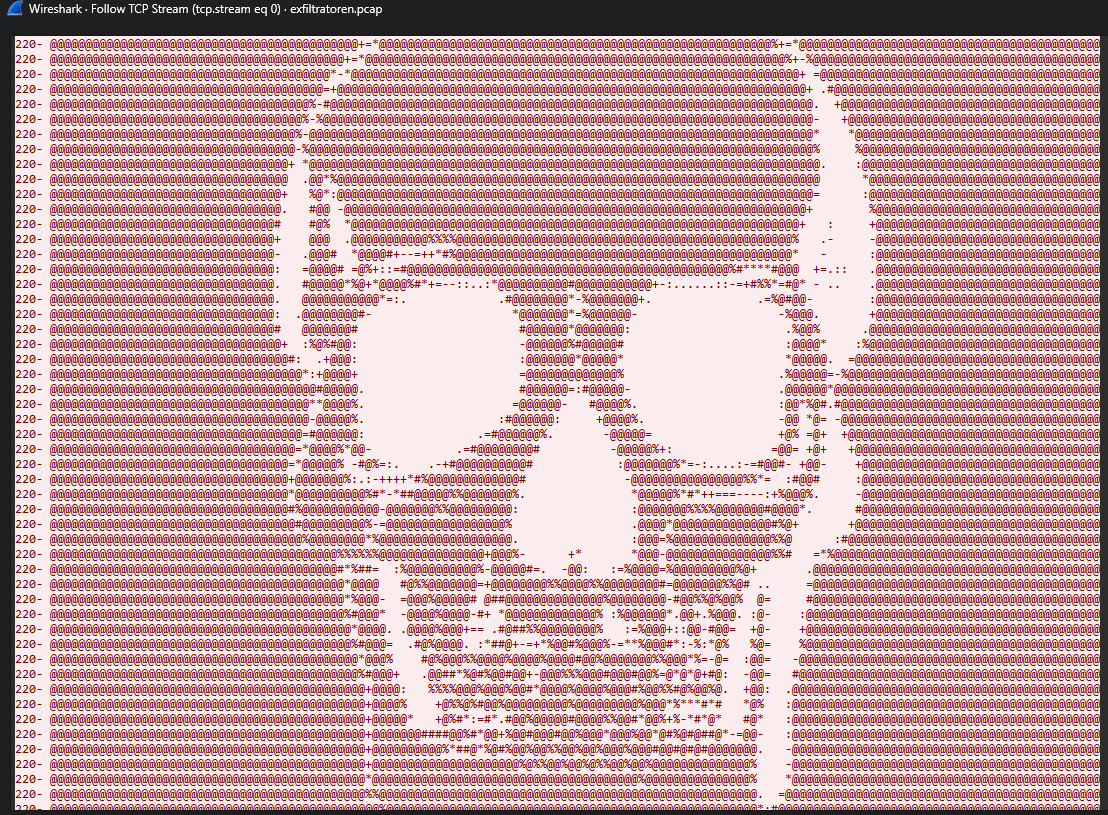

Following the TCP stream for packet 25 revealed this message. The Swedish text had garbled characters; its meaning was:
“They’re on my trail — I’m switching to camouflaged communication. Talk soon!”
ZmxhZ2dhe2Z1bmN0aW9uYWxfdHJlc2hvbGRfcG93ZXJ9I recognized the encoding from earlier CTFs. After pasting the string into a Base64 decoder, I found the first flag:
flagga{functional_treshold_power}2. Hidden in ping traffic
Next, I noticed several ping requests. I sorted the packets by source so I could examine requests and replies separately.
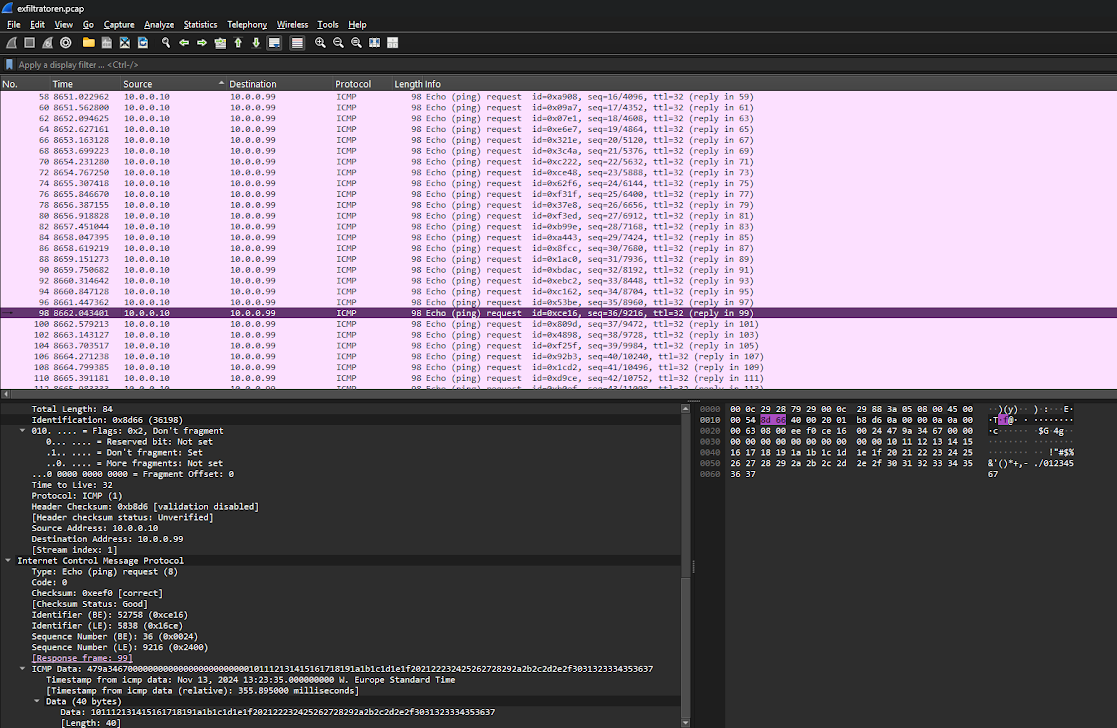
After some trial and error, I finally spotted a pattern in the ASCII panel beside the hexadecimal data. It revealed the second flag:
flagga{exf1l_by_p1ng}3. Email attachments and a QR code
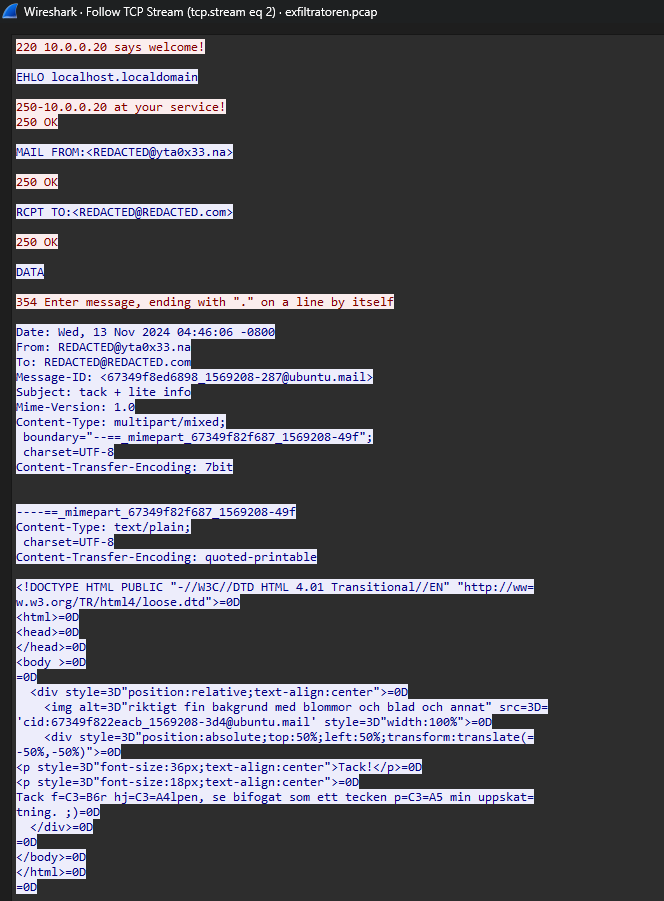
Returning to packet-number order, I immediately noticed packet 143 and its MAIL FROM:<REDACTED@yta0x33.na> field.
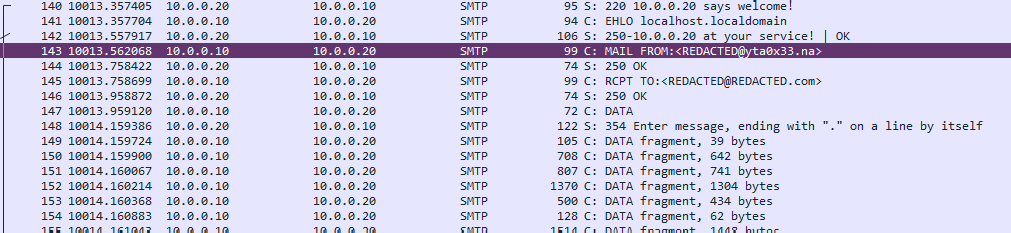
Right-clicking the packet and choosing Follow → TCP Stream exposed useful information. An email had been sent with the subject “thanks + a little info.” Its body mentioned “a really nice background with flowers and leaves and other things.”
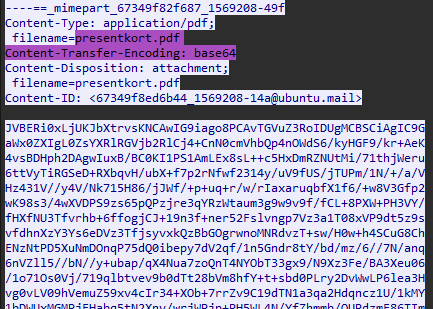
The email contained an attachment encoded in Base64. Knowing that it was a PDF, I used a Base64-to-file decoder to reconstruct it.
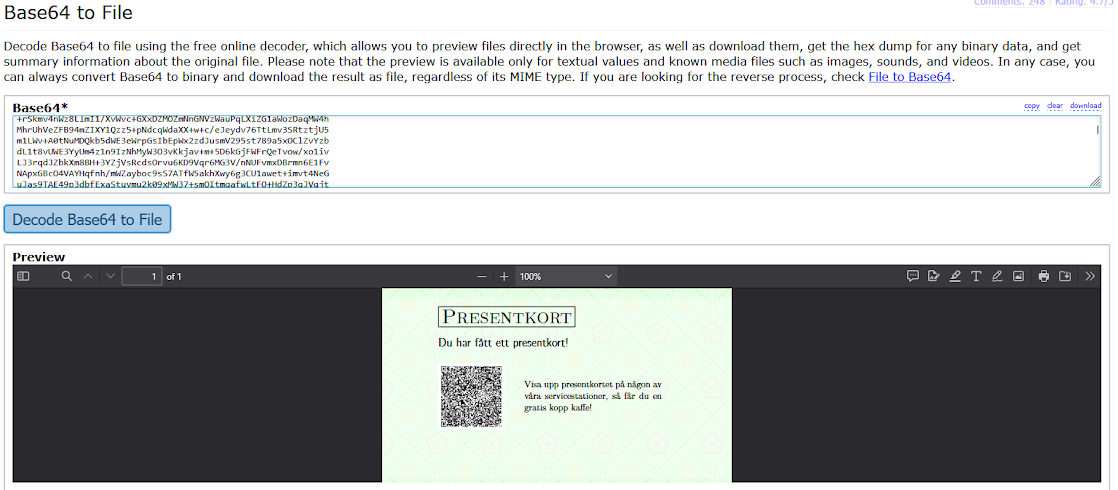
Scanning the QR code produced a long encoded string. I identified it as Base45 and decoded it. The resulting data contained a PNG signature and readable metadata, including a caption with the third flag:
flagga{qrazy_basy}Technical clarification: this QR code carried a Base45-encoded payload. QR codes do not universally use Base45.
I also decoded the PNG attached to the email. It turned out to be exactly what the message described: a background with flowers, leaves, and other details. I checked the image for useful metadata but found nothing further.

4. An unresolved UDP transfer
Packet 310 contained information about a file named top_secret.png, including its size — 2,662,470 bytes — and an MD5 hash.
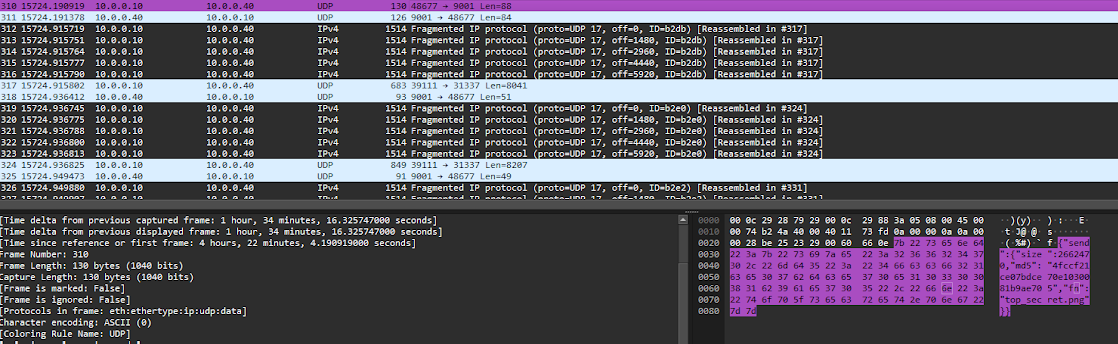
{"send":{"size":2662470,"md5":"4fccf21ce07bdce70e1030081b9ae705","fn":"top_secret.png"}}Packet 311 provided the transfer ID, a key, and a port:
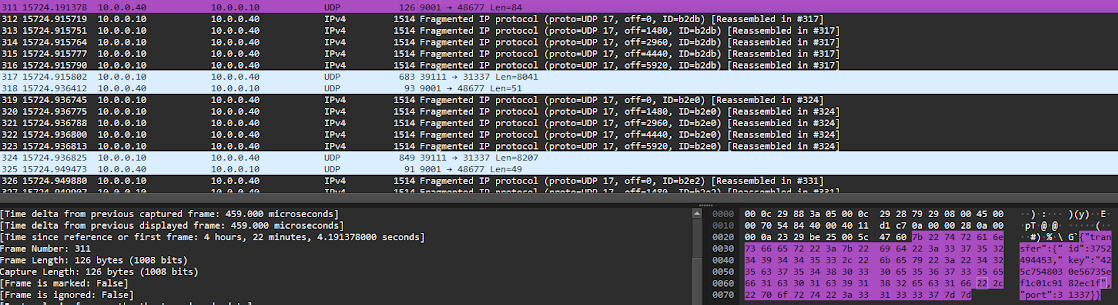
{"transfer":{"id":3752494453,"key":"425c7548030e56735ef1c01c9182ec1f","port":31337}}Looking further, I saw fragmented packets that were reassembled into UDP datagrams. Following the UDP stream exposed a large amount of data, with fields such as chunk, id, ix, and data.
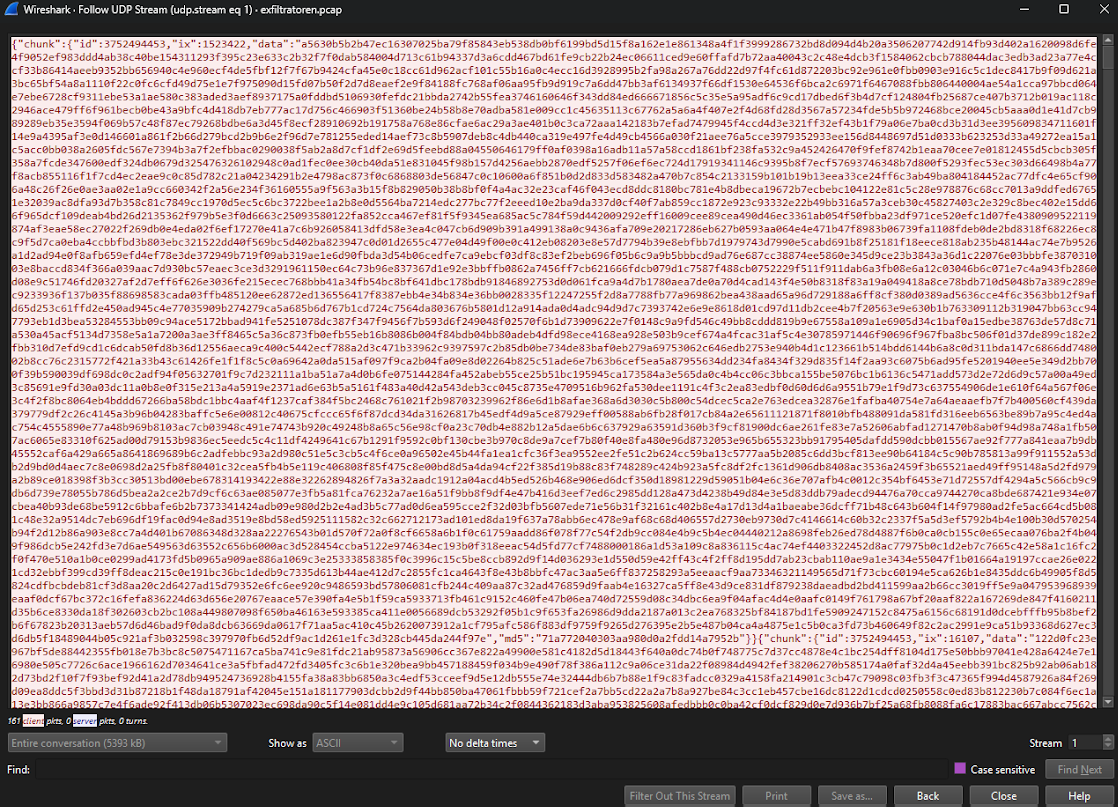
The file had been split into chunks. UDP does not guarantee delivery or ordering, so the transfer ID and chunk index could be used to group and order the data before reconstructing the file.
TCP, by comparison, uses sequence numbers to present an ordered byte stream to the receiving application. It also establishes a connection with a SYN, SYN-ACK, and ACK handshake. UDP does not use that connection handshake.
I suspected another flag was hidden in this transfer. Reconstructing it would require a script, or a considerable amount of manual work. I was unable to recover that flag.
What I found
I recovered three of the challenge’s seven flags: one in an FTP message, one in ICMP traffic, and one in data encoded inside a QR code. The UDP transfer remained unresolved. I would have liked to compare my findings with an official solution to understand what I had missed.
Editorial note: the long QR payload and the partial raw binary/hex dumps are omitted here for readability. The findings and recovered flags are preserved; the unfinished transfer is not presented as solved.